SpendBalance App Icon

SpendBalanceA free iOS budget app that works without a bank connection

SpendBalance is a free budget app for iPhone and iPad. You enter your income and expenses yourself, so it never connects to a bank account and never asks you to create an account. Everything you record stays on your device, and there are no in-app purchases.

No bank linking
No in-app purchases
66 currencies
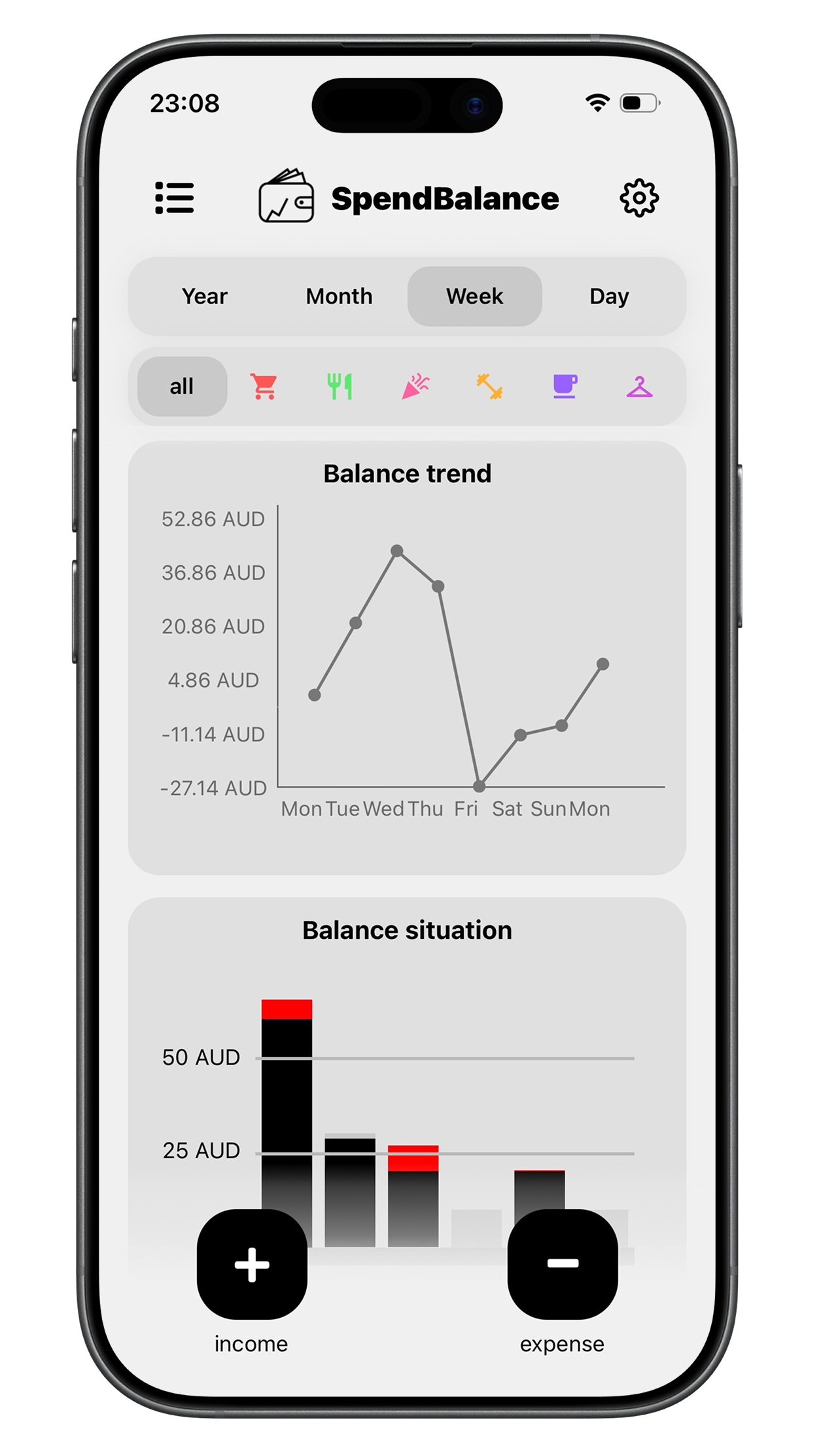
SpendBalance budget app dashboard showing the balance overview, spending chart, and recent transactions

What SpendBalance does

Manual expense tracking, recurring transactions, and charts that show where the money went — with no setup beyond installing the app.

Log an expense in seconds

Type the amount, pick a category, done. There is no import to configure and no statement to reconcile.

Your data stays on your device

SpendBalance has no server to send your transactions to. Apple’s App Privacy panel on the App Store reports “Data Not Collected” for this app.

Charts for spending and balance

A budget overview, a balance history over time, and a category breakdown of where the money actually went.

Recurring transactions

Set rent, a subscription, or an allowance to repeat daily, weekly, or monthly, and SpendBalance records it for you.

Why a budget app without a bank connection?

SpendBalance never connects to a bank. That keeps your credentials out of it entirely, removes any supported-institution limits, and means the app works the same everywhere — here is what that buys you.

  • You never hand over bank credentialsSpendBalance cannot ask for them, because it has no bank integration at all.
  • It works with any bank, anywhereThere is no supported-institution list, so it works the same whichever bank you use and wherever you live — and it captures cash, which an imported feed cannot see.
  • Nothing to sign up forNo email, no password, no verification step. You can start recording expenses the moment the app opens.
  • Typing it in makes you notice itThe trade-off is real: manual entry takes a few seconds per transaction, and that friction is the main reason to choose an app like this one.
38
Spending categories
66
Currencies supported
$0
Price, with no in-app purchases

Entering it yourself is the design

SpendBalance tracks money by hand on purpose. That choice is what makes the rest of it possible.

You only type the spending that varies

Rent, subscriptions, a phone bill, an allowance — set each one once as a recurring daily, weekly, or monthly entry and SpendBalance counts it in every period from then on. The fixed half of a budget looks after itself, and what you enter by hand is the discretionary spending that actually changes.

Logging it is what makes you notice it

Entering a purchase takes a few seconds, and those few seconds are the point. A number you typed yourself registers in a way that a line item you scroll past at the end of the month does not. This is the reason most people who budget by hand keep doing it.

Nothing to reconnect or repair

There is no connection to drop, no periodic re-authorisation, and no sync to fix. The app works offline and behaves identically on the day you install it and a year later.

Any bank, any country, and cash

Because nothing is imported, there is no supported-institution list to check. SpendBalance works the same whichever bank you use and wherever you live, in any of 66 currencies, and it is the only way to capture cash spending at all.

SpendBalance at a glance

PriceFree, with no in-app purchases
PlatformiPhone and iPad, iOS 15.1 or later
Bank linkingNot required and not supported
AccountNot required — no sign-up, no email
Data collection“Data Not Collected” per Apple’s App Privacy panel
Currencies66
Categories38
LanguageEnglish

SpendBalance is a new app and currently has too few App Store ratings for Apple to display a rating average.

Frequently asked questions

Yes. SpendBalance is free to download and free to use, with no in-app purchases, no premium tier, and no subscription. Every feature in the app is available to everyone.

No. SpendBalance does not connect to banks and has no ability to do so. You enter transactions yourself, which means your bank credentials are never requested, shared, or stored.

No. Regular costs are set up once and then counted automatically: rent, a phone bill, a subscription, or an allowance can repeat daily, weekly, or monthly, and SpendBalance includes them in every period’s totals and charts without you entering them again. Recurring entries work for income as well as expenses. What you type in yourself is the discretionary spending that changes from week to week.

No. There is no sign-up, no email address, and no password. You can open SpendBalance for the first time and start tracking expenses immediately.

Your data is stored locally on your iPhone or iPad. It is not sent to SpendBalance servers, and Apple’s App Privacy panel on the App Store listing reports "Data Not Collected" for this app.

Not currently. SpendBalance is available for iPhone and iPad running iOS 15.1 or later. There is no Android app, no web app, and no desktop app.

SpendBalance supports 66 currencies. You choose your currency in the app settings.

Download SpendBalance

Free on the App Store for iPhone and iPad running iOS 15.1 or later. No account, no bank connection, no in-app purchases.

Download SpendBalance on the App Store